


How to Create a Beginner Sublimation Setup (Using an EcoTank on a Budget)
- Sincerely Barbie

- May 4
- 3 min read
Updated: May 5
If you’ve been wanting to try sublimation but feel overwhelmed by the cost of getting started, you’re not alone.
I recently needed to test sublimation quickly, but I wasn’t ready to invest in a full sublimation printer yet. So I tried a more affordable approach by converting an Epson EcoTank printer using sublimation ink.
In this post, I’ll show you exactly how I did it, step by step, plus the tools I used so you can try it yourself.
My Beginner Sublimation Setup
Here’s the exact setup I used to test sublimation:
Epson EcoTank ET-2803
Sublimation ink (compatible with EcoTank)
Sublimation film (I tested mine with the HTVRont H17 Heat press)
Basic supplies (paper, computer, design file)
If you prefer to see the process visually… I shared a short reel showing how I set everything up and tested my first sublimation print.
👉 You can watch it here:
Why I Chose This Setup
Sublimation printers can be expensive, especially when you’re just starting.
I wanted a way to:
Test sublimation without a big investment
Learn the process step by step
See if it’s something I truly enjoy
This setup allowed me to start quickly and keep things simple.
Important Things You Should Know
Before converting your printer, keep this in mind:
The printer must be brand new (no ink inside)
You cannot use regular ink
Once converted, the printer is for sublimation only
This may void the warranty
🛠️ Step-by-Step: How to Convert an EcoTank Printer to Sublimation

Step 1: Unbox the printer
Remove the printer from the box and take out all packaging materials.
Make sure to:
Remove all protective tapes
Check inside the printer
Remove any internal packaging
Step 2: Do NOT use the original ink
Your printer comes with regular ink.
👉 Do not use it.
Regular ink does not work for sublimation and will affect your results.
Step 3: Prepare your sublimation ink
Use sublimation ink that is compatible with EcoTank printers.
Make sure:
It’s the correct type
It’s not expired
It has the proper bottle tip for filling
Step 4: Fill the ink tanks
Open the ink compartment and fill each tank:
Black
Cyan
Magenta
Yellow
Important tips:
Do not mix colors
Let the ink flow naturally
Fill in the indicated line
Step 5: Initialize the printer
Turn on the printer and follow the setup instructions.
This process:
Takes several minutes
Pulls ink into the system
Is completely normal
Do not interrupt this step.
Step 6: Run a test print
Before using sublimation paper:
Load regular paper
Run a nozzle check
If you see missing lines:
Run a print head cleaning
Step 7: Set up for sublimation printing
When ready:
Load sublimation paper
Set print quality to high
Enable mirror (flip horizontally)
This ensures your design transfers correctly.
Step 8: Do your first sublimation test
Print your design and press it using heat.
👉 Important:The print may look dull on paper. Colors become vibrant after heat pressing.
My First Test
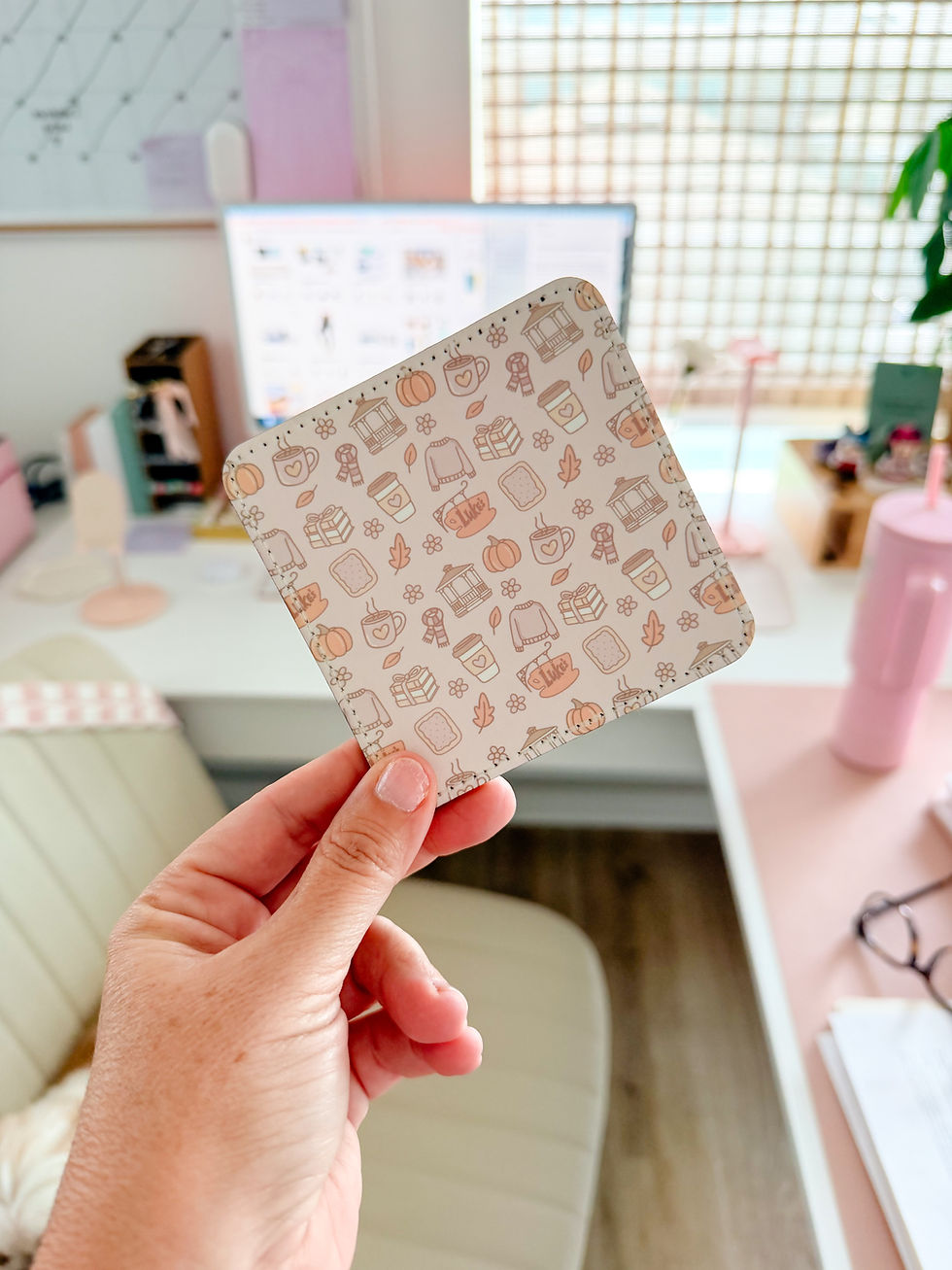
For my first test, I printed one of my designs and pressed it using my HTVRont H17 heat press.
And honestly… it worked.
Is it perfect? Not yet. But it’s a great starting point, and it gave me the confidence to keep going.
Who This Is For
This setup is a great option if you:
Are curious about sublimation
Want to try it without spending a lot of money
Are just starting a small business
Prefer to learn by doing
Who This Is NOT For
This may not be the best option if you:
Need consistent, high-volume production
Want a fully optimized, professional setup from day one
Don’t want to experiment or adjust settings
Final Thoughts
You don’t need the perfect setup to get started.
Sometimes, the best thing you can do is begin with what you have, test the process, and learn as you go. This beginner-friendly approach allowed me to explore sublimation without pressure, and that alone made it worth it.
Get My Exact Setup
If you’d like to try this yourself, I’ve put together a list with everything I used:
👉 View my beginner sublimation setup here: https://www.amazon.com/shop/sincerely.barbie/list/3M657WFB3SKFG?ref_=aipsflist
If you try this setup, I would love to hear from you 🤍Feel free to message me or leave a comment and let me know how it goes.
Sincerely,
Barbie


Comments